
































How to Make YouTube Turn Off at a Certain Time
Close YouTube at 10 PM every night, or 30 or 60 minutes after it opens, with a free browser extension. Plus YouTube's sleep timer and iPhone and Android limits.
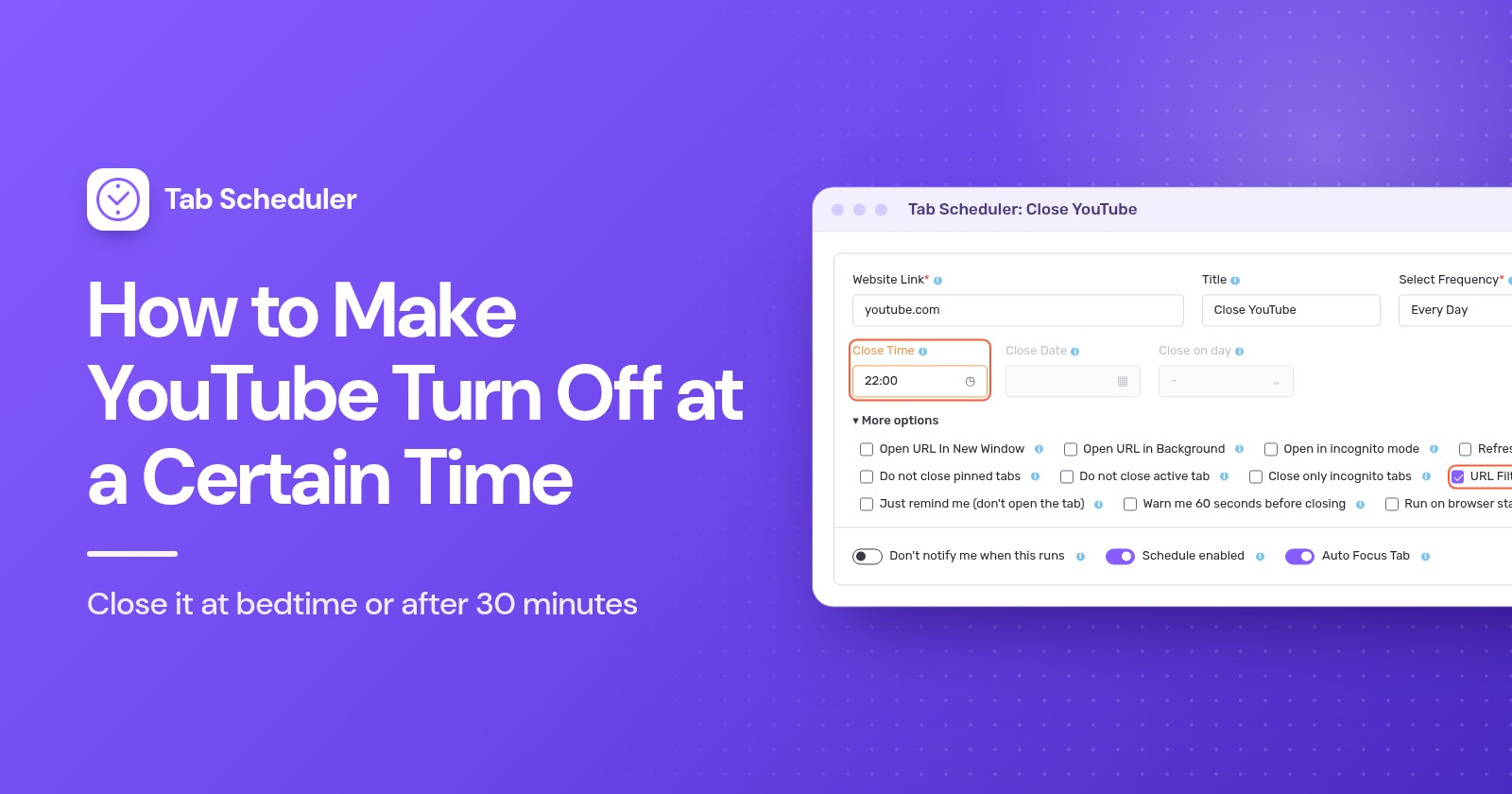
To make YouTube turn off at a certain time on a computer, add a tab-closing extension such as Tab Scheduler to Chrome or Edge and schedule it to close every YouTube tab at 10 PM. YouTube's own sleep timer only pauses a video after a set time. On phones, use Screen Time or Digital Wellbeing.
- Install Tab Scheduler from the Chrome Web Store or Edge Add-ons. It's free for up to 5 schedules and needs no account.
- Click the Tab Scheduler icon in the toolbar and choose Settings.
- Type
youtube.comin Website Link and choose Every Day in Select Frequency. - Set Schedule Type to Close matching tabs and Close Time to 22:00 (10:00 PM).
- Click Save Schedule.
From then on, every YouTube tab that is open at 10 PM closes, whatever it is playing. YouTube and phone steps below were checked against YouTube Help, Apple Support and Google's Android and Family Link help pages in November 2026; Tab Scheduler steps match version 2.0.13 in Chrome and Edge.
Can you set a timer for YouTube to turn off?
Yes, but YouTube's own timers pause the video or show a reminder. None of them closes YouTube at a clock time on a computer, and the person watching can dismiss or reset them.
- Sleep timer (computer, Android, iPhone and iPad): while a video plays, open Settings in the player, choose Sleep timer and pick how long it should run. The video pauses when time is up, and you can reset the timer to keep watching. See YouTube's sleep timer help page.
- Remind me to take a break (YouTube app on phones): tap your profile picture > Settings > General, turn it on and pick a Reminder frequency. The reminder pauses the video until you dismiss it.
- Remind me when it's bedtime (YouTube app on phones): in the same General menu, set a start and end time. When it appears, you can dismiss it or tap Remind Me Again for another reminder in 15 minutes.
- In the YouTube Kids app, tap Settings, solve the parent check, tap Set Timer, then START TIMER. When time is up, the app shows "Time's up!" and locks.
On Apple devices, the break and bedtime reminders work on iPhone but not iPad, and both are on by default for users aged 13 to 17. On a computer, the sleep timer is the only built-in option, and it counts minutes rather than stopping at 10 PM.
How to close YouTube at the same time every night on a computer
Use a Close matching tabs schedule. At the Close Time, Tab Scheduler closes every open tab whose address matches the link, including tabs you opened yourself.
- Click the Tab Scheduler icon in your browser toolbar and choose Settings.
- Enter
youtube.comin Website Link. Add a Title such as "Close YouTube" if you like. - In Select Frequency, choose Every Day.
- In Schedule Type, choose Close matching tabs, then set Close Time to 22:00.
- Open More options and check that URL Filtering is ticked. It's ticked for you when you choose Close matching tabs.
- Click Save Schedule.
With URL Filtering on, a tab matches when its address contains your link. So youtube.com also matches www.youtube.com/watch?v=abc, Shorts pages and YouTube Music at music.youtube.com. Two more options matter here:
- Leave Do not close active tab unticked. If it's ticked, the YouTube tab someone is watching at 10 PM stays open.
- Do not close pinned tabs keeps a pinned YouTube tab open. Leave it unticked unless that's what you want.
The schedule closes the YouTube tabs that are open at 22:00. If someone opens YouTube again at 22:05, that tab stays open until the next day's close time, so see the section on keeping YouTube closed below. More detail is on the close tabs on a schedule page, and the same method for other sites, all tabs or incognito tabs is in how to automatically close tabs in Chrome.
Only on school nights
Choose Every Week instead of Every Day, tick Sunday, Monday, Tuesday, Wednesday and Thursday in Close on days, and set the Close Time, for example 21:00. One weekly schedule uses one time for all its days, so add a second schedule if Friday and Saturday should end later, say at 23:00.
How to turn off YouTube after 30 minutes or 1 hour
Choose Custom Minute with Close matching tabs. Each YouTube tab then closes that many minutes after it opens.
- In Settings, enter
youtube.comin Website Link. - In Select Frequency, choose Custom Minute. For half an hour you can also pick Every 30 Minute.
- Set Schedule Type to Close matching tabs.
- Type 30 or 60 in Close Minute and click Save Schedule.
Don't pick Every Hour for "after 1 hour". It runs at a set minute past every hour, such as 9:15 and 10:15, not 60 minutes after YouTube opens. The every few minutes page explains the interval options.
The count is per tab: close the tab and open YouTube in a new one, and a new count starts. That makes it a nudge that ends a session, not a daily allowance. For a firm limit, add the blocking schedule below.
Just for tonight? Choose One Time, set Close Date to today and Close Time to when YouTube should go off. It runs once, so pick a time that is still ahead. If you just want a video to stop once you fall asleep, YouTube's sleep timer is quicker.
How to get a warning before YouTube closes
Tick Warn me 60 seconds before closing under More options. One minute before the close time, a notification says "This tab will close in 60 seconds" and shows two buttons.
- Keep open cancels tonight's close. A daily schedule still runs again tomorrow.
- Snooze 10 min closes the tabs 10 minutes later, without a second warning.
- Doing nothing, or closing the notification, lets the tabs close on time.
The warning works with fixed times such as One Time, Every Day and Every Week, not with Custom Minute or other minute intervals. Notifications must be allowed for your browser in your computer's settings. For a child's schedule, think twice: a child can click Keep open just as easily as you can, so leave the warning off when the close must happen. More on the warning before closing page.
How to block YouTube at certain times so it stays closed
Closing a tab doesn't stop anyone from opening YouTube again. To keep it unavailable until morning, add a blocking schedule. Extfy's Website Blocker extension does this with scheduled blocking, free in Chrome, Edge and Firefox.
- Click the Website Blocker icon and type
youtube.comin Block Websites. - Choose Time Wise Block, then Custom Schedule.
- Under Select Days, tick the days. Under Select Time, enter the start and end time.
- Click Set Time to save the rule.
A time range can't run past midnight, so a 22:00 to 06:00 block needs two ranges: 22:00 to 23:59 and 00:00 to 06:00 (click + to add the second). Used together, Tab Scheduler closes the YouTube tabs that are open at 22:00, with a warning if you want one, and Website Blocker stops YouTube from opening again until 06:00. Time Wise Block also has preset timers, such as 30 minutes and 1 hour, that block a site that long after you first open it.
Built-in options on Windows and Mac
The operating systems offer blocks and daily limits rather than a closing time. On Windows, Microsoft Family Safety can add youtube.com to Blocked Sites for a child's Microsoft account. Its web filters work in Microsoft Edge, and while they're on, other browsers are blocked. On a Mac, open System Settings > Screen Time > App Limits, click Add Limit, open the Websites category and add youtube.com with a daily time.
How to make YouTube turn off at a certain time on iPhone
Use Screen Time. Downtime blocks apps during the hours you choose, and App Limits caps your daily minutes in YouTube. To set it for a child in Family Sharing, tap the child's name in Screen Time first.
- Downtime (iOS 26): go to Settings > Screen Time > Downtime, tap Scheduled, choose Every Day or Customize Days, and set the start and end times. With a Screen Time passcode, turn on Block at Downtime. Without it, downtime is a reminder you can ignore.
- App Limits (iOS 26): go to Settings > Screen Time > App Limits > Add Limit, tap a category to find YouTube, select it, tap Next and set the time.
- iOS 27: Screen Time is built around Screen Time Schedule and Time Allowances, which need iOS 27 on all your Apple devices. Go to Settings > Screen Time > Screen Time Schedule, turn on Schedule, tap Add Schedule, pick the days, then set each time window's start and stop time and which categories are available in it. Apple's Screen Time schedules guide has the details.
How to turn off YouTube after a certain time on Android
Use Digital Wellbeing for yourself and Google Family Link for a child. Menu names can differ a little from phone to phone.
- App timers: go to Settings > Digital Wellbeing > App timers, tap Set timer next to YouTube and choose the time. When it runs out, the app closes and its icon dims. App timers reset at midnight.
- Focus mode (at set hours): go to Settings > Digital Wellbeing > Focus mode, choose YouTube, then tap Set a schedule. While Focus mode is on, you can't use the app.
- YouTube in Chrome: in Digital Wellbeing, tap the chart, then Chrome, and tap Set site timer next to youtube.com. Google's Digital Wellbeing help page lists every step.
- Family Link (a child's device): in the Family Link app, select your child, tap Screen time > Schedules and turn on Downtime, then set its Weekly schedule. For a daily cap, tap Screen time > Time limits > App limits, select YouTube and tap Set limit. App limits apply across the child's Android devices and Chromebooks (see Family Link schedules).
Which method should you use?
| Method | Best for | Needs | Limits |
|---|---|---|---|
| Tab Scheduler, close at a set time | Ending YouTube at 10 PM, nightly or on school nights | Chrome or Edge on a computer; free for up to 5 schedules | Closes only tabs open at that time; needs the browser running and the computer awake |
| Tab Scheduler, Custom Minute | Turning YouTube off 30 or 60 minutes after it opens | Chrome or Edge on a computer | Counts per tab; no warning option |
| Website Blocker, Custom Schedule | Keeping YouTube blocked overnight | Chrome, Edge or Firefox; free | A range can't cross midnight, so use two |
| YouTube sleep timer | Falling asleep to a video | YouTube on a computer, phone or tablet | Pauses after a set time; easy to reset |
| YouTube break and bedtime reminders | A nudge on a phone | The YouTube app on a phone | Reminders only; not on computers |
| iPhone Screen Time | iPhone and iPad, including a child's | A Screen Time passcode for a real block | By default, limits can be ignored once reached |
| Digital Wellbeing or Family Link | Android phones; Family Link also covers a child's Chromebook | Settings, or the Family Link app for a child | Steps vary by phone; app timers reset at midnight |
Why didn't YouTube turn off?
Usually the computer was asleep, the browser was closed, or an option kept the tab open:
- The computer was asleep or the browser was closed at the close time. Schedules run only while the browser is running and the computer is awake, and a close that was due while the browser was closed is skipped. Power Mode asks the computer to stay awake while a schedule is waiting; for other ways, see how to keep your computer awake.
- Do not close active tab was ticked, so the video on screen stayed open.
- The link has a typo, or URL Filtering was unticked, so only the exact address closes.
- The schedule is switched off in the Scheduled Tab List, or all schedules are paused. Alt+Shift+P pauses and resumes them.
- Someone clicked Keep open or Snooze 10 min on the warning.
- YouTube was open in an incognito window. Turn on Allow in Incognito for Tab Scheduler on its details page in the browser's extension settings.
- YouTube was open in another browser or profile, on a phone or on a TV. An extension works only in the browser it's installed in, and Tab Scheduler doesn't run on phones.
- You chose Every Hour instead of Custom Minute, or YouTube was reopened in a new tab, which starts a new count.
For most households, one close schedule at 22:00 ends late-night YouTube on the computer, and a blocking schedule keeps it shut when a reminder isn't enough. You can set up the first in a couple of minutes with Tab Scheduler, a free extension that opens and closes tabs on a schedule.
Questions and answers
Can you set a timer for YouTube to turn off?
Yes. YouTube's sleep timer, under Settings in the video player on computers, Android, iPhone and iPad, pauses the video after the time you pick. It pauses rather than closes YouTube, and anyone watching can reset it.
How do I make YouTube turn off at a certain time on my computer?
Install a tab-closing extension such as Tab Scheduler for Chrome or Edge and create a Close matching tabs schedule for youtube.com with Every Day and a Close Time such as 22:00. Every YouTube tab that is open at that time closes, as long as the browser is running and the computer is awake.
How do I turn off YouTube after 1 hour?
On a computer, create a Tab Scheduler schedule for youtube.com with Custom Minute, Close matching tabs and 60 in Close Minute, so each YouTube tab closes an hour after it opens. On Android, a 1-hour Digital Wellbeing app timer closes the YouTube app after an hour of use that day.
How do I block YouTube at certain times?
Use a site blocker with a schedule, such as the Custom Schedule option of Time Wise Block in Extfy's Website Blocker for Chrome, Edge and Firefox. Pick the days and hours and YouTube stays blocked inside them. An overnight block needs two ranges, because one range can't cross midnight.
Does YouTube have a bedtime reminder on a computer?
YouTube Help describes the bedtime reminder and the take a break reminder for the YouTube app on mobile devices, and on Apple devices only for iPhone. On a computer, YouTube's built-in option is the sleep timer in the player's settings.
How do I stop my kid from watching YouTube at night?
On a child's phone or tablet, set Downtime in Google Family Link or Screen Time for the night hours. On a computer, close YouTube at bedtime with a Tab Scheduler close schedule, block it until morning with Website Blocker's scheduled blocking, and leave the 60-second warning off so the close can't be cancelled.
Does Tab Scheduler work on iPhone or Android?
No. Chrome on Android and iPhone doesn't run extensions, so Tab Scheduler works in Chrome and Edge on a computer, with an older version for Firefox. On phones, use Screen Time or Digital Wellbeing instead.
Will YouTube still close if my computer goes to sleep?
Not on time. Tab Scheduler runs only while the computer is awake and the browser is running, and after sleep a close can run late when the computer wakes or be skipped. Power Mode in Tab Scheduler asks the computer to stay awake while a schedule is waiting.